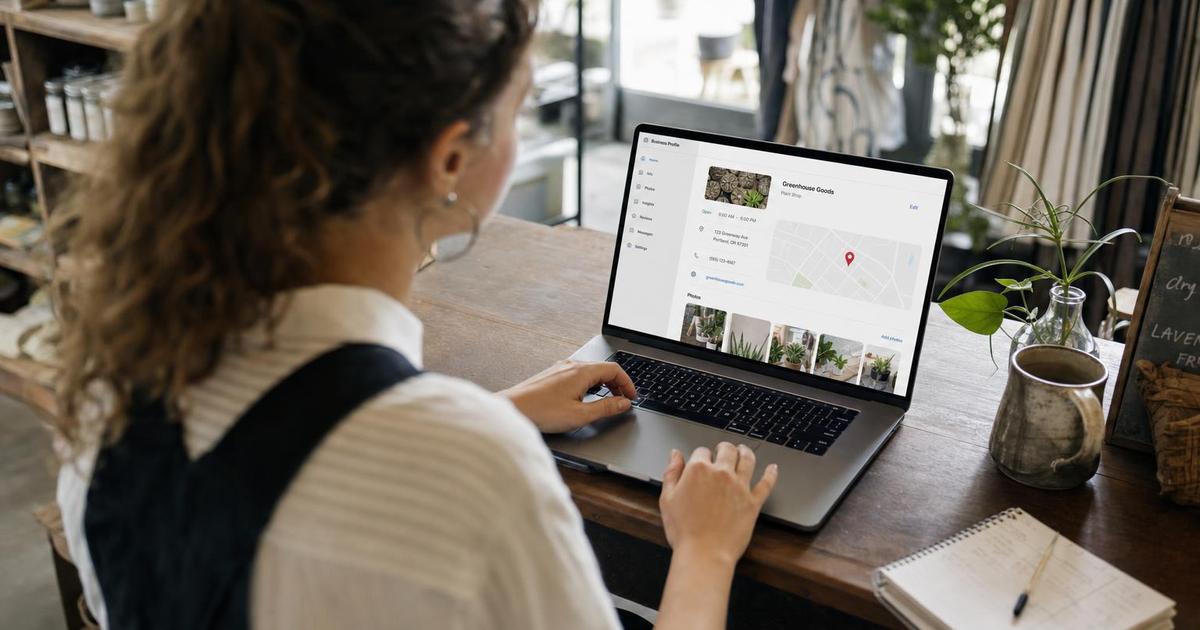
Most "Google Business Profile checklist" posts still describe features the way they worked two years ago. Since then, Google shut down native in-profile chat, changed how the public Q&A section works, and reshuffled which profile signals actually move local rankings. This checklist reflects what's live on the platform right now, with every item specific enough to actually check off, not "optimize your profile" vagueness.
Google's own data puts real numbers behind why this is worth doing carefully: customers are 2.7 times more likely to consider a business reputable if they find a complete Business Profile, 70% more likely to visit, and 50% more likely to consider purchasing from one, compared with an incomplete listing (Google Business Profile Help, "Complete your Business Profile").1
Key Takeaways
- Google's own data: complete profiles get 2.7x more trust, 70% more visits, and 50% more purchase consideration than incomplete ones.1
- Primary category is the single highest-weighted local ranking factor in Whitespark's 2026 survey of 47 local search experts — above reviews, links, and on-page SEO.2
- Google specifies real minimums: at least 3 exterior, 3 interior, 3 product, and 3 team photos for a complete profile.3
- The public Q&A section is being phased out in favor of an AI-powered "Ask" button (Gemini-based) that answers directly from your profile data — as of December 2025, seeding your own Q&A the old way is no longer the priority it used to be.6
- 81% of consumers expect a review response within a week, and half are actively put off by a generic, templated one.7
In this checklist:
- Why GBP optimization still matters in 2026
- 1. Business information completeness
- 2. Categories: primary and secondary
- 3. Photos: what to upload and how many
- 4. Products and services sections
- 5. Posts: keeping the profile active
- 6. Q&A is changing: what "Ask" means for your profile
- 7. Messaging and booking features
- 8. Review response cadence
- The full checklist at a glance
- Common mistakes that quietly cost visibility
- FAQ
Why Google Business Profile Optimization Still Matters in 2026
Google Business Profile signals make up roughly 32% of what determines Local Pack rankings, ahead of review signals (20%), on-page SEO (19%), and links (15%) — according to Whitespark's 2026 Local Search Ranking Factors survey, a 187-factor evaluation completed by 47 local search practitioners in late 2025 (Whitespark, 2026 Local Search Ranking Factors Report).2 Eight of the top ten individual ranking factors in that survey come directly from the Business Profile itself, not from a business's website or backlinks. That's the practical case for treating GBP as its own optimization project instead of a one-time setup task you finish and forget.
1. Business Information Completeness
Google's own guidance lists specific elements it counts toward a "complete" profile: services offered, in-store products, photos and videos, a business description, opening date, business hours (including special and holiday hours), a review link, business attributes, and booking or online-service details.1 Work through this as a literal checklist against your live profile:
- Name matches your real-world signage and legal name exactly — no keyword-stuffed additions like "[Business Name] - Best Plumber in [City]."
- Address lands the map pin on your actual entrance, and phone number is a local, trackable line, not a call-center number that changes.
- Hours are current, including holiday and seasonal hours — this is one of the most common reasons customers show up to a closed door.
- Business description says what you actually do, not marketing filler; Google shows this to searchers and, increasingly, to the AI-generated answers covered in section 6.
- Attributes are accurate: wheelchair access, outdoor seating, Wi-Fi, women-owned, veteran-owned, and similar tags, only checked if genuinely true.
- NAP matches exactly across your website, GBP, and directory listings — see brand consistency across Google, social, and your website for the full cross-platform pass.
2. Categories: Primary and Secondary
Your primary category is the highest-weighted individual ranking factor Whitespark's panel measured for 2026, scoring higher than any single review, link, or on-page signal.2 Google's own instruction is to pick the most specific match available — "instead of 'Salon,' choose 'Nail salon'" — because a precise category tells Google exactly which searches you should surface for (Google Business Profile Help, "Manage your business category").4
- Audit your current primary category first. It's often set once at signup and never revisited as the business changes. Search your business name and check what Google currently shows.
- Choose the single most specific category that completes "this business IS a," not "this business HAS a." A category should describe what you are, not list your services.
- Add secondary categories only for genuine departments or offerings, not every service you provide — Google explicitly warns against selecting "a category for every product or service."4
- Expect a short review period after any category change — Google may re-verify the business to confirm the new category is accurate, so don't change it right before a critical launch.
3. Photos: What to Upload and How Many
Google publishes specific minimum photo counts by type for a profile it considers complete, not just a vague "add photos" suggestion (Google Business Profile Help, "Tips for business-specific photos").3
| Photo Type | Google's Recommended Minimum |
|---|---|
| Exterior (storefront, entrance, parking) | 3 |
| Interior | 3 |
| Product photos | 3 |
| Photos at work (services in progress) | 3 |
| Food and drink (if applicable) | 3 |
| Team photos | 3 |
| Common areas | 1 per area |
Technical specs, also from Google directly: JPG or PNG, 10 KB to 5 MB, recommended resolution 720x720px minimum, in focus and well-lit, with "no significant alterations or excessive use of filters or AI."3 Photos only display once your business is verified.

- Shoot in daylight where possible — Google's own quality bar is "in focus, well lit."
- Replace your cover photo and logo first if you've never touched them — these are the two images shown most prominently in search results and Maps.
- Add new photos monthly, not just once at setup. Recency of photos is itself a scored ranking factor in Whitespark's 2026 survey, separate from raw photo count.2
- Skip AI-generated or heavily filtered images. Google's own guidance flags excessive AI use and alteration as against policy for business photos.3
4. Products and Services Sections
This is the section that changed the most in relative importance heading into 2026. The presence of predefined services on a profile jumped to the #22 most impactful local ranking factor overall in Whitespark's 2026 survey — a notably higher position than in prior years' surveys — while custom (business-added) services and product listings also scored inside the top 70 factors.2
- List every core service using Google's predefined service categories where one matches — they carry more ranking weight than custom-only entries — then add custom services for anything specific to your business that doesn't map to a predefined option.2
- Use the Products section for physical goods, with a photo, description, and price or price range on each listing.
- Keep pricing current. An outdated price is one of the fastest ways to lose trust with a customer who called or walked in expecting something different.
5. Posts: Keeping the Profile Active
Google Posts publish updates directly to your profile in Search and Maps, using four formats: What's New, Offers, Events, and Products. In Whitespark's 2026 scoring, posting frequency and quantity rank well below reviews or categories as direct ranking signals — but posts still occupy visible space in your own listing that would otherwise show nothing new, and freshness is a real, if smaller, signal.2
- Use Offers posts for anything with a start and end date, and Events posts for anything time-bound, not just retail sales — a clinic's open house, a seasonal promotion, a holiday-hours notice.
- Post only when you have something real to say. A weekly cadence is reasonable if you have genuine updates; an empty "just checking in" post most weeks isn't worth the time it costs you.
- Check that older posts haven't expired and left the profile looking stale — a profile with no recent activity reads to a visitor the same as one that was abandoned.
6. Q&A Is Changing: What "Ask" Means for Your Profile in 2026
This is the item most 2024-era GBP checklists get wrong for 2026: the traditional public Q&A section — where anyone could post a question and anyone, including other customers, could answer it — is being phased out. Google confirmed in December 2025 that it's replacing the public Q&A threads on Maps with an AI-powered "Ask" button, powered by Gemini, that generates answers directly from your profile's existing information and reviews rather than showing a crowd-sourced thread. The Q&A API was switched off entirely on November 3, 2025 (Search Engine Roundtable, "Google Changing Q&A Feature In Google Maps For Ask").6
The practical shift for your checklist:
- The old advice — seed your own Q&A with an alt account, then answer it as the owner — no longer builds the durable public asset it used to, since that thread format is being retired from the customer-facing display.
- What replaces it is completeness, not seeding. Since the AI-generated answers pull from your profile data and reviews, an accurate, thorough business description, complete attributes, and current hours now double as your Q&A content.
- Watch what the Ask feature surfaces about your business the way you'd monitor a review — if it's pulling outdated information, that's a signal to update the underlying profile fields, not the old Q&A section.
7. Messaging and Booking Features
Google's original native in-profile chat feature — the one with a hard 24-hour response requirement or automatic deactivation — was discontinued; new chat conversations stopped being possible from July 2024 onward. What's live now is different: businesses with a claimed, verified profile can add a WhatsApp or SMS text messaging contact option instead, set up under Edit Profile → Business Information → Contact → Chat (Google Business Profile Help, "Chat with customers from your Business Profile").5
- Enable SMS or WhatsApp only if you can actually staff responses. Google shows only one option if both are enabled (text message takes priority), and it's mobile-search-only — desktop searchers won't see it.
- For booking, connect a supported third-party booking partner for your industry so a "Book" button appears directly on the profile — booking factors scored lower than reviews or categories in Whitespark's 2026 survey, but a working link removes real friction between a search and a completed appointment.2
- Test every contact method from a phone you don't normally use. A broken chat link or dead booking integration is worse than not offering the feature at all — it signals neglect right at the decision point.
8. Review Response Cadence: What to Actually Do Weekly
Reviews and review responses are covered in more depth in what actually moves you into the Google Local 3-pack, but the response-cadence numbers are specific enough to belong in this checklist directly. In BrightLocal's 2026 Local Consumer Review Survey of 1,002 US consumers, 89% expect a business owner to respond to feedback, and expectations on speed have tightened: 19% now expect a same-day response (up from 6% the prior year), 32% want a response by the next day, and 81% expect a reply within a week of posting (BrightLocal, Local Consumer Review Survey 2026).7
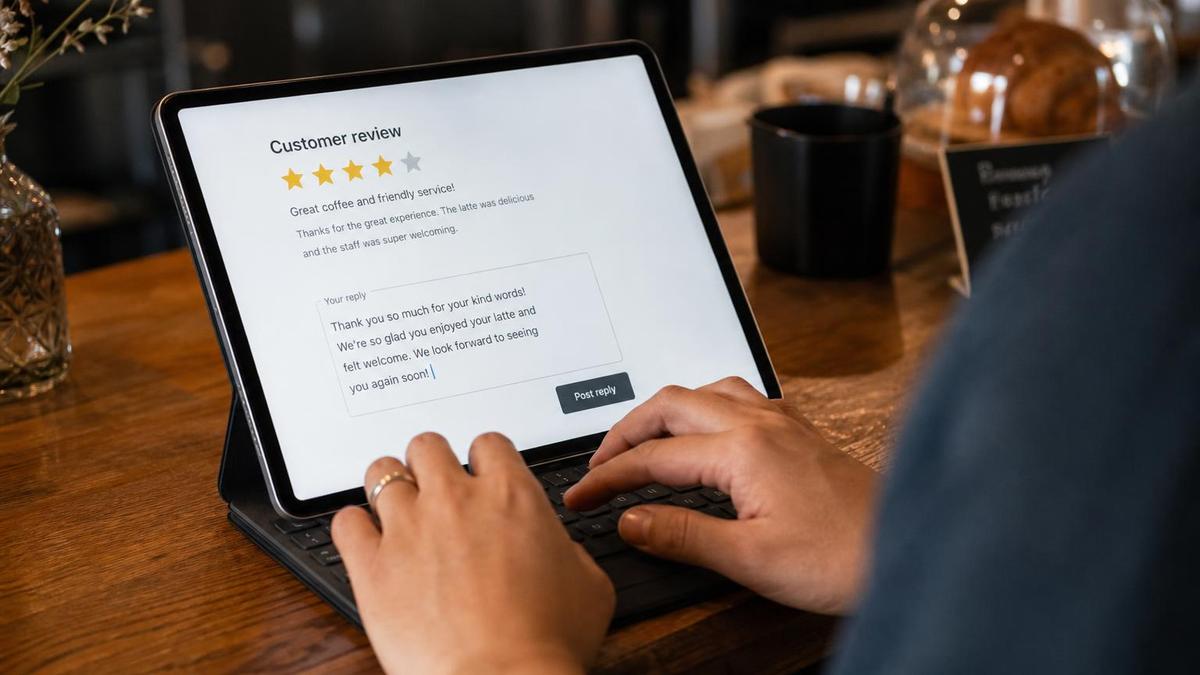
- Set a weekly recurring block to check and respond to every new review, positive and negative — 80% of consumers say they're more likely to use a business that responds to every review, and 42% actively avoid businesses that ignore reviews entirely.7
- Write a specific reply, not a template. Half of consumers surveyed said generic or templated responses actively discourage them, even when the response itself is polite.7
- Respond to negative reviews the same way you'd want a complaint handled in person — acknowledge the specific issue, and where appropriate, note what changed or how to reach you directly to resolve it.
- Check review recency, not just volume. 74% of consumers say they specifically look for reviews written in the last three months, and 32% look for reviews from the last two weeks — a profile with strong reviews from two years ago and nothing recent reads as stale to a large share of searchers.7
The Full Checklist at a Glance
| Area | What to Check | Suggested Frequency |
|---|---|---|
| Business info | Name, address, phone, hours (incl. holiday), description, attributes all accurate and matching your website | Review monthly; update immediately on any change |
| Categories | One precise primary category + only genuinely relevant secondary categories | Review quarterly |
| Photos | 3+ each of exterior, interior, product, at-work, team photos; current cover photo and logo | Add new photos monthly |
| Products/Services | Predefined services used where available, custom services for the rest, current pricing | Update whenever offerings or pricing change |
| Posts | What's New, Offers, or Events posts with real content, no expired posts left visible | Weekly if you have genuine updates |
| Ask / profile data | Description, attributes, and hours accurate, since the Ask feature answers from this data directly | Review monthly |
| Messaging | SMS/WhatsApp enabled only if you can respond quickly; tested from a real phone | Test quarterly; respond same day |
| Booking | Booking partner link connected and working, if applicable to your business | Verify quarterly |
| Reviews | Every review answered with a specific, non-templated reply | Weekly check, respond within 24-48 hours |
Common Mistakes That Quietly Cost Visibility
- Setting the primary category once and never revisiting it, even as the original match stops being accurate — it's the single highest-weighted factor covered in this checklist.2
- Treating photos as a one-time setup task. A profile with a dozen photos from three years ago is worse off than the recency signal in Whitespark's data suggests it should be.2
- Assuming the old Q&A-seeding advice still applies. Crafting Q&A threads the pre-December-2025 way is now a lower priority than keeping the profile data the Ask feature reads from accurate.6
- Responding to reviews with the same copy-pasted line every time. Half of consumers say generic responses discourage them — the response itself can cost trust if it reads as automated.7
Frequently Asked Questions
How long does a full Google Business Profile optimization take?
For a profile that's never been touched beyond basic setup, expect 3-5 hours for the initial pass: verifying information, setting categories, uploading the minimum photo counts, and filling out products/services. After that, ongoing maintenance (posts, review responses, photo updates) is closer to 20-30 minutes a week if done on the cadence in the checklist above.
Does changing my primary category hurt my current ranking?
It can cause a temporary dip while Google re-verifies the change, since category edits sometimes trigger a review period.4 If your current category is genuinely inaccurate, the short-term risk is usually worth correcting it — an imprecise primary category is the highest-weighted factor working against you every day it stays wrong.2
Is the Google Business Profile chat feature still available?
Not in its original form. Native in-profile chat (with the old 24-hour response requirement) stopped accepting new conversations from mid-2024. The current messaging option is SMS or WhatsApp, set up under Contact settings, and it's shown to mobile searchers only.5
Should I still bother with the Q&A section in 2026?
Prioritize the underlying profile data over the Q&A thread itself. Since Google's new Ask feature generates answers from your description, attributes, hours, and reviews rather than a public thread, keeping that source data accurate does more for a searcher's questions now than seeding Q&A the old way.6
Key Takeaways and Next Steps
A complete, accurate Google Business Profile isn't a nice-to-have next to your website — Google's own numbers put it at 2.7x more trust, 70% more visits, and 50% more purchase consideration than an incomplete one.1 The specific items in this checklist — an accurate primary category, real photo minimums, current products and services, an active posting cadence, and fast, specific review responses — are the concrete, checkable version of "optimize your profile" that most guides never quite get around to giving you.
This is one piece of the broader picture: for the full local SEO foundation this checklist sits inside, see local SEO for small business: the complete guide, and for what specifically moves a listing into the map 3-pack, see what actually moves you into the Google local 3-pack. The review-response guidance above is the practical half of the story — for the data on how review count, velocity, and rating actually move rankings, see how reviews affect local rankings. If you'd rather have your profile's rankings, review velocity, and photo/post activity tracked and reported for you on an ongoing basis instead of checking it manually every week, local SEO and GBP rank tracking: what to actually watch weekly covers what that looks like.
Want more like this in your inbox?
Occasional, practical marketing advice for local service businesses. No spam.
References (7)
- 1.Google Business Profile Help — Complete your Business Profile on Google — reputability, visit, and purchase-likelihood statistics
- 2.Whitespark — 2026 Local Search Ranking Factors Report, 47 local search experts, 187 factors scored, published November 6, 2025
- 3.Google Business Profile Help — Tips for business-specific photos on your Business Profile
- 4.Google Business Profile Help — Manage your business category
- 5.Google Business Profile Help — Chat with customers from your Business Profile (WhatsApp/SMS)
- 6.Search Engine Roundtable — Google Changing Q&A Feature In Google Maps For Ask, Barry Schwartz, December 2025
- 7.BrightLocal — Local Consumer Review Survey 2026, n=1,002 US adult consumers

Written by
Yash · Creative Specialist
Builds the creative and content that gets your business noticed.