Lead Capture TechnologyAugust 8, 2026By Yash
Appointment Booking Automation: Closing the Loop From Lead to Booked Job

A lead calls, texts, or fills out a form, and somewhere in the exchange they agree they need the work done. Then the conversation stalls on the most mundane possible step: finding a time that works for both sides. A few texts back and forth, a missed callback window, a "let me check and get back to you" that never happens — and a lead that was ready to become a booked job quietly goes cold instead. Appointment booking automation exists to close that gap: the space between "yes, I want this" and an actual time on the calendar.
This guide covers what appointment booking automation actually is, how calendar sync and reminders work mechanically, what the real evidence says about reduced no-shows, how the approaches — a standalone booking link, a CRM-native automation, and a fully managed system — actually compare, and how we build it for clients. It's not just a setup tutorial; it's what you need to evaluate the option honestly before deciding who builds it.
Key Takeaways
- Appointment booking automation syncs a business's real calendar to a booking interface so a lead can grab an open slot directly, and it fires reminders automatically afterward — closing the loop between "lead captured" and "job on the calendar" without someone manually coordinating each step.
- In a Kaiser Permanente Washington study of 158,669 visits, adding a second automated text reminder reduced no-shows by 7% (relative risk) in primary care and 11% in mental health visits, compared to a single reminder alone.1
- In a 2021 survey of 217 US consumers with recent booking experience, nearly 70% said they'd choose online booking over calling if given the option, and 94% said they'd be more likely to choose a new service provider that offered it.2
- The global appointment scheduling software market is projected to grow from $546.1 million (2025) to $635.6 million in 2026 and $1.9 billion by 2034 — a market research firm's forecast, not a guarantee, but a real signal of how fast adoption is moving.3
- This is a real, confirmed capability we build and manage for clients — as part of an existing lead-capture setup, not a standalone tool you'd have to configure yourself.
In this guide:
- What appointment booking automation actually is
- How it works, step by step
- What the evidence says about no-shows
- Comparing the three approaches
- How Alphalead sets this up
- What to watch out for
- Where this fits in the bigger lead-capture picture
- FAQ
What Appointment Booking Automation Actually Is
Appointment booking automation connects a business's real calendar to a booking interface — a link, an embedded widget, or a step inside a text or chat conversation — so a lead can see genuinely open time slots and claim one directly, without a person manually checking availability and typing back a reply. Once a slot is booked, the same system typically handles the follow-through: a confirmation, one or more reminders as the date approaches, and often a simple self-service way to reschedule or cancel without another back-and-forth.
It's narrower than "scheduling software" as a category suggests. The core mechanic is specific: read real-time calendar availability, let someone claim a slot, write that booking back to the calendar, and trigger reminders on a timer. Everything else — intake forms, deposits, service-specific rules, routing to the right staff member — is a layer built on top of that loop, and how much of that layer exists is what separates a bare-bones link from something that actually reduces admin work.
It's also easy to conflate with the channels that generate the lead in the first place. A missed-call text-back recovers a caller who didn't get through; an AI voice agent can answer the call itself. Booking automation picks up after either succeeds — it turns "we're now talking to this lead" into an actual appointment, not a way of generating the conversation to begin with.
How Appointment Booking Automation Works, Step by Step
The mechanism is the same regardless of which tool sits behind it — a standalone scheduling app, a feature inside a CRM, or a booking step built into a chat or text flow.
- The calendar connects as the single source of truth. The booking tool reads a real calendar (Google Calendar, Outlook, or a CRM's scheduling module) so the slots it shows are actually open, not a guess based on business hours. This is what prevents double-booking — once a slot's taken by any route, the interface stops offering it.
- A lead sees real availability and picks a slot. No back-and-forth proposing times; the person picks from what's open, at whatever hour they happen to be looking, including outside business hours.
- The booking writes back to the calendar automatically, blocking the slot for everyone else pulling from the same source — staff scheduling manually, other automations, and the booking widget itself.
- A confirmation goes out immediately, usually by email or text, restating the date, time, and what to expect.
- Reminders fire on a timer as the date approaches — commonly a day or two before, sometimes same-day too — without anyone having to remember to send them.
- Rescheduling and cancellation route back through the same system, so a change doesn't need a phone call to be reflected on the calendar everyone's actually working from.
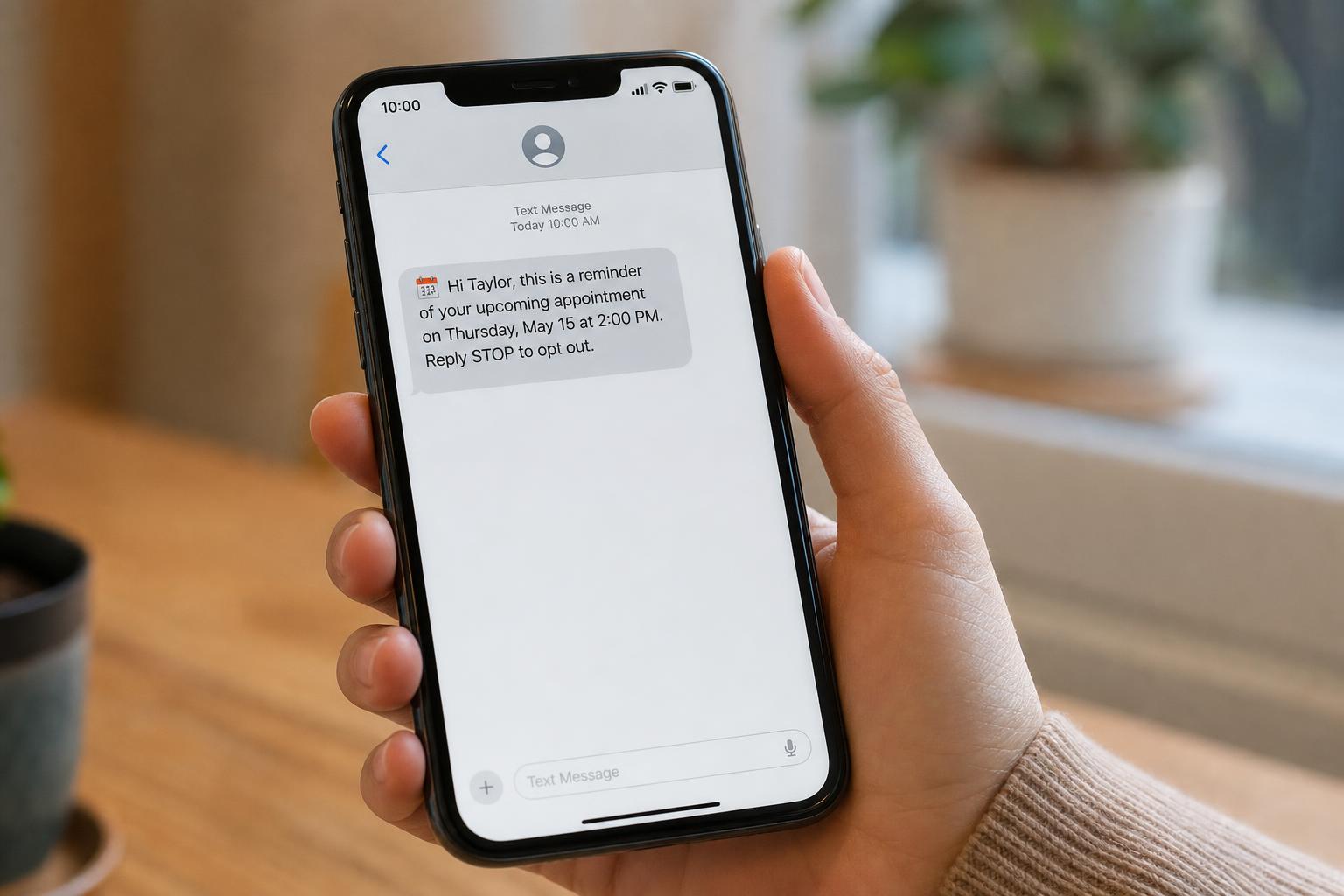
The one real technical requirement underneath all of this is a calendar the booking tool can read and write to in real time — a shared, digital calendar, not a paper book or a whiteboard nobody's syncing anywhere. That's also why this tends to work better as a connected system than a bolt-on: a booking tool pointed at a calendar nobody else updates from just becomes a second, unreliable source of truth.
What the Evidence Says About No-Shows
The most defensible version of the "automation reduces no-shows" claim comes from a large, peer-reviewed study rather than a vendor's marketing page. Researchers at Kaiser Permanente Washington studied 158,669 visits — 125,076 in primary care and 33,593 in mental health — comparing patients who got a single reminder against those who got an additional, targeted second reminder ahead of high-risk appointments. The second reminder reduced no-shows by 7% (relative risk) in primary care and 11% in mental health visits, with same-day cancellations also dropping 6% in primary care.1
That's a genuinely useful number precisely because it isn't dramatic. It's not "reminders eliminate no-shows" — it's "one additional, well-timed reminder measurably moves the needle, and the effect is bigger where no-shows are already a bigger problem." Timing and targeting still matter; this isn't a set-and-forget win, which is exactly the detail a vendor pitch tends to flatten out.
Unique insight: the study above compared one reminder to two — not zero reminders to any. That framing matters. Most of the value in automating reminders isn't inventing the idea of reminding people (any business can do that manually); it's making a second, well-timed reminder cheap enough to send by default, every time, without costing staff labor to remember and execute. The mechanism recovers value by removing the cost of doing something that already worked.
The booking-preference side comes from a smaller but transparent 2021 GetApp survey of 217 US consumers with recent booking experience: nearly 70% said they'd choose to book online over calling if given the option, versus 22% who preferred the phone, and 94% said they'd be more likely to choose a new provider that offered online booking.2 Read that as directional evidence that booking friction is a real switching cost, not a precise population statistic — it's a self-reported survey with a modest sample, not a controlled study.
Zooming out, the appointment scheduling software market itself is a useful adoption signal: Fortune Business Insights values the global market at $546.1 million in 2025, projecting $635.6 million in 2026 and $1.9 billion by 2034 at a 14.70% compound annual growth rate.3 Market-size forecasts are estimates, not facts — but growth at that pace reflects a real, broad shift in expectations, not a niche trend.
Comparing the Three Approaches
Once a business decides it wants booking automation, the real decision isn't whether to have it — it's which shape it takes. Three genuinely different approaches show up in practice, and they trade off differently on cost, integration depth, and ongoing upkeep.
| Approach | What it is | Best fit | Real tradeoff |
|---|---|---|---|
| Standalone booking link | A dedicated scheduling tool connected to one calendar, shared as a link or embedded on a website | A single-location business or solo operator with one calendar to manage | Cheapest and fastest to set up, but separate from whatever CRM or job-scheduling tool runs the rest of the business — bookings don't update a customer record unless someone connects the two manually |
| CRM- or platform-native automation | Booking built into a CRM, job-scheduling, or marketing-automation platform the business already runs, so a booking updates the same customer record used for follow-up and invoicing | A business that already runs lead and customer data through one platform and wants booking feeding into it | More setup work mapping booking to the platform's other automation, and it's only as good as how well that platform is already configured |
| Fully managed system | Someone else builds, connects, and maintains the booking flow, reminders, and calendar sync as an ongoing service, not software the business configures itself | A business that wants the outcome without owning the technical upkeep as services, staff, or tools change | Higher ongoing cost than a self-serve tool, in exchange for someone accountable when a sync breaks, rather than an owner debugging it alone |
None of these is universally "the" right answer — a solo operator testing a new service line has a different need than a multi-technician business juggling five other logins already. The honest sorting question is less "which tool is best" and more "who's responsible for it still working correctly six months from now, after your service list, staff, or hours have changed at least once." The CRM-native option specifically only works if that connection actually exists in the first place — see does your marketing actually integrate with your CRM for what to check before assuming it does.

How Alphalead Sets This Up
To be direct about what we actually offer: Alphalead builds and manages appointment booking automation as part of a client's lead-capture setup — the fully managed row in the comparison above, made concrete. We connect it to a real calendar, tune reminder timing to your actual booking pattern instead of a generic default, and keep a visible way to reach a person for the leads that need judgment rather than a slot. It's built alongside the rest of a client's lead-capture stack, so a booking updates the same customer record used for follow-up rather than living in a disconnected tool.
That's the part of the "fully managed" tradeoff worth being specific about: a standalone booking link or a CRM-native automation can work well on their own, and plenty of businesses are well served by either. What a managed setup adds is someone accountable for the sync still working correctly after your calendar, staff, or hours change — not a one-time configuration you're left debugging alone six months later.
What to Watch Out For
The mechanics are mature and well-proven — the real failure modes are almost all about upkeep and edge cases, not the core technology.
A calendar that isn't actually the single source of truth defeats the whole point. If staff still write appointments on a separate paper book or a second, disconnected calendar "just in case," double-booking comes back regardless of how good the automation is. The tool is only as reliable as the calendar it reads from.
Reminder timing needs to match how the business actually books. A reminder sent two days out is useless for a same-day walk-in flow, and a same-day reminder is too late for someone planning their week around an appointment booked a month ago. The Kaiser Permanente finding above — that a targeted second reminder outperformed a single generic one — argues for tuning timing to the actual risk pattern, not copying a default from a different kind of business.1
Reminder texts carry the same consent obligations as any other business text. A short, transactional reminder tied to an appointment someone already booked is treated differently under the Telephone Consumer Protection Act (TCPA) than a promotional message — the same distinction covered in the missed-call text-back guide applies here. A working opt-out and a message that stays strictly transactional are the baseline, not optional extras.
Time zones and buffer time are the two most common silent bugs. A calendar sync that mishandles a business's local time zone, or a booking tool with no travel or setup buffer for a mobile service business, produces errors that look like automation failures but are really configuration gaps — easy to get wrong once and not notice until a customer shows up at the wrong time.
Self-service booking without a real fallback isn't a complete system. Some leads will always need to talk to a person first — a complicated job, an unusual request, a customer more comfortable on the phone. A booking flow with no visible way to reach a human optimizes for the easy cases at the expense of the ones that actually need judgment.
Where This Fits in the Bigger Lead-Capture Picture
Booking automation is the step that comes after a lead has already been captured and engaged, which is why it only matters in the context of everything upstream of it. If a call goes unanswered after hours and nobody follows up, there's no lead left to book in the first place — that gap has to close before booking automation has anything to work with. And once a booking happens, it's one more event that should show up wherever the rest of the funnel gets tracked — reading your full funnel from first ring to booked job covers how a booking fits alongside calls, form fills, and rankings as one connected picture, not a separate log nobody checks.
For the fuller picture of where lead capture technology stops leads from slipping through more broadly — after-hours coverage, call tracking, rank tracking, and CRM integration alongside booking — see Alphalead's lead capture technology guide.
Frequently Asked Questions
Does appointment booking automation actually reduce no-shows, or is that oversold?
Somewhat, and it depends on execution. The largest peer-reviewed evidence available — the Kaiser Permanente Washington study of 158,669 visits — found a targeted additional reminder reduced no-shows by 7-11% relative to a single reminder, not to zero reminders.1 That's a real, measurable effect, not a dramatic one; timing and targeting matter more than simply having automation as a checkbox.
Do I need a CRM to use booking automation?
No. A standalone booking link works fine for a business with one calendar and no need to sync bookings into a broader customer record. It becomes more valuable to run through a CRM once a business wants that data — who booked, what service, whether they're a repeat customer — feeding the same system used for follow-up and marketing, instead of living in a separate tool.
What's the difference between booking automation and an AI voice agent that books appointments?
They're often connected but distinct. An AI voice agent answers the call and can offer to book a slot as part of the conversation; the booking automation underneath is what actually checks the calendar and confirms the slot once the agent, a human, or a text reply triggers it. The voice agent is the conversation layer; booking automation is the calendar mechanics it calls on.
Is a free scheduling tool good enough, or do I need something more built out?
For a single calendar and simple booking rules, a free or low-cost standalone tool is often genuinely sufficient — the honest answer here isn't "always upgrade." It stops being enough once a business needs bookings to sync with a CRM, route to specific staff by service type, handle multiple locations, or hold up reliably as needs change without someone constantly reconfiguring it.
Key Takeaways and Next Steps
Appointment booking automation closes a specific, real gap: the space between a lead agreeing they want the work and that intent actually landing as a time on the calendar. The evidence for it is real but modest — a well-targeted reminder measurably reduces no-shows, and consumers say they'd rather book online than call, but neither of those is a case for treating automation as a silver bullet over getting the basics (a real shared calendar, correctly timed reminders, a human fallback) right first.1,2 It's a capability we build and manage as part of a client's account rather than software you configure yourself. If you want to talk through how this could fit your setup, talk to a growth strategist.
Want more like this in your inbox?
Occasional, practical marketing advice for local service businesses. No spam.
References (3)
- 1.The Permanente Journal — Pragmatic Randomized Study of Targeted Text Message Reminders to Reduce Missed Clinic Visits, Kaiser Permanente Washington, published April 5, 2022; 158,669 visits (125,076 primary care, 33,593 mental health), Feb-Sep 2019
- 2.GetApp (Gartner Digital Markets) — Online booking consumer preference survey, March 2021, n=217 US respondents with recent appointment-booking experience
- 3.Fortune Business Insights — Appointment Scheduling Software Market report: $546.1M (2025) to $635.6M (2026) to $1,905.90M (2034) at 14.70% CAGR, retrieved August 2026

Written by
Yash · Creative Specialist
Builds the creative and content that gets your business noticed.